Weekly Loop and Navigation
Use World, Home, and History, then advance each week without missing required decisions or fight night actions.
The week is your turn. You inspect the world, act for your promotion, and then advance time so offers, training, fights, finances, rankings, and messages can resolve.
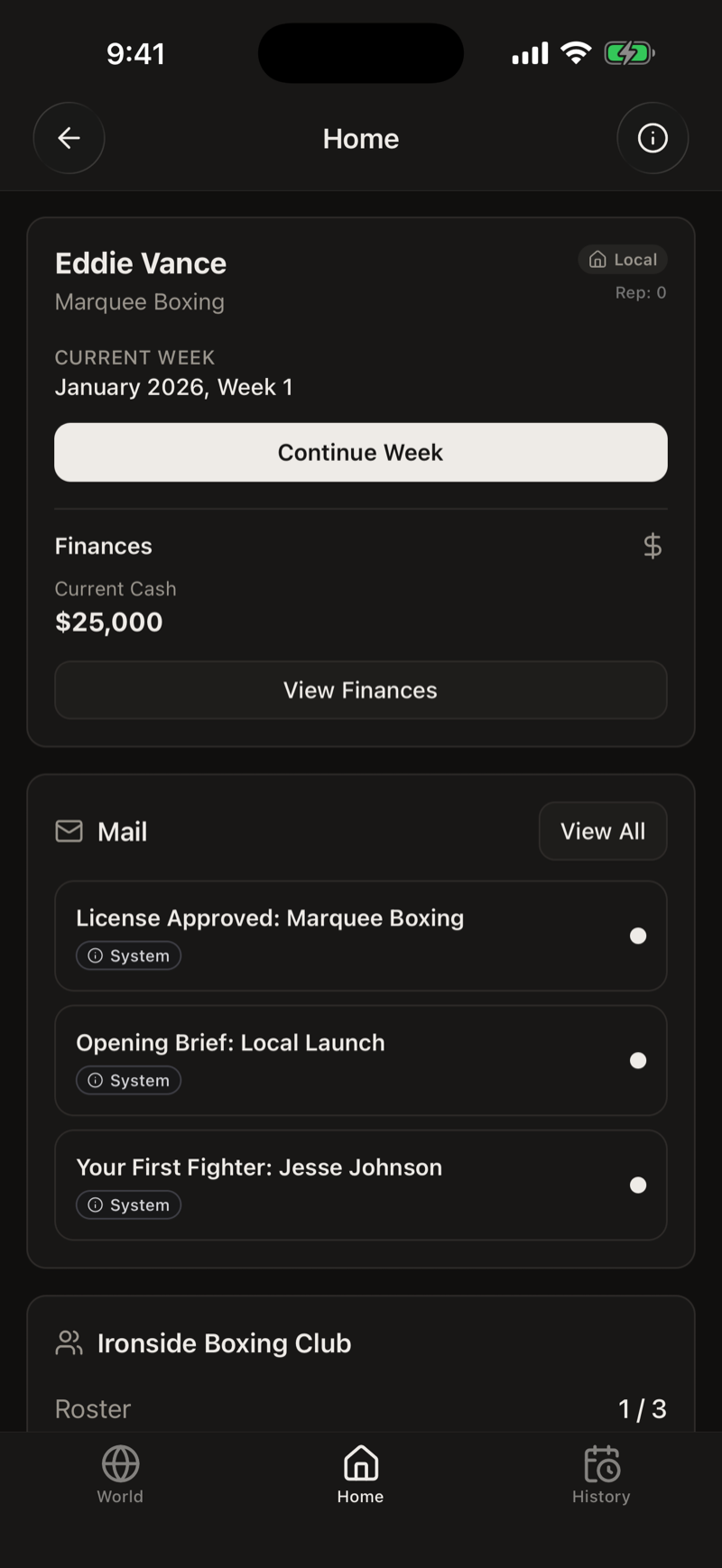
The three main tabs
World shows the sport beyond your gym. Use it to inspect boxers, gyms, scheduled fights, rankings, and belts. It is where you check whether a target is rising, who holds a title, and which mandatory is attached to a belt.
Home is where you run the promotion. The dashboard holds your cash, week, reputation, mail, roster, recruiting, matchmaking, shows, facilities, staff, and finance links. Most player decisions begin here.
History records the legacy of the save. It collects promotion history, awards, and retired careers after they stop being immediate Home decisions.
A practical weekly check
- Read new mail, especially anything marked as requiring action.
- Check fighter statuses for injuries, recovery, camps, expiring contracts, and fights due this week.
- Review offers, recruiting, and matchmaking only when the roster and cash allow it.
- If you are building a show, open Matchmaking, switch the view between Opponents and Shows, and check the current draft.
- Open Finances when a salary, upgrade, or event decision changes your risk.
- Use Continue Week when no current decision or fight still needs attention.
What Continue Week resolves
Time advances one week. The game processes the world, training progress, contract and sponsor activity, scheduled fights, income, expenses, rankings at their update points, and new mail. Four weeks form a game month and 48 weeks form a game year.
Why Continue Week can be unavailable
The button is intentionally blocked when the game needs you to finish something first. Common causes include required mail, an incoming challenge decision, a fight scheduled for the current week, or a fight that has been opened but not finished.
Open Home and Mail before assuming the save is stuck. The status beside each fighter and any active fight card usually points to the unfinished action.
Use status, not memory
A fighter can be available, booked, fighting this week, injured, or recovering. The current status in the roster is the reliable answer. Do not plan from how many weeks you remember advancing, because recovery and scheduling depend on the fighter's situation.